

Tools Distracting You From the Real Work?
Let's Close The Loop Together.

Before we jump in I’d like to ask you a quick question,
This past week, I did something I should’ve done months ago: I grabbed a whiteboard and listed out the only tools I actually need to run my creator business. No more platform paralysis. No more endless research spirals. Just decisions.
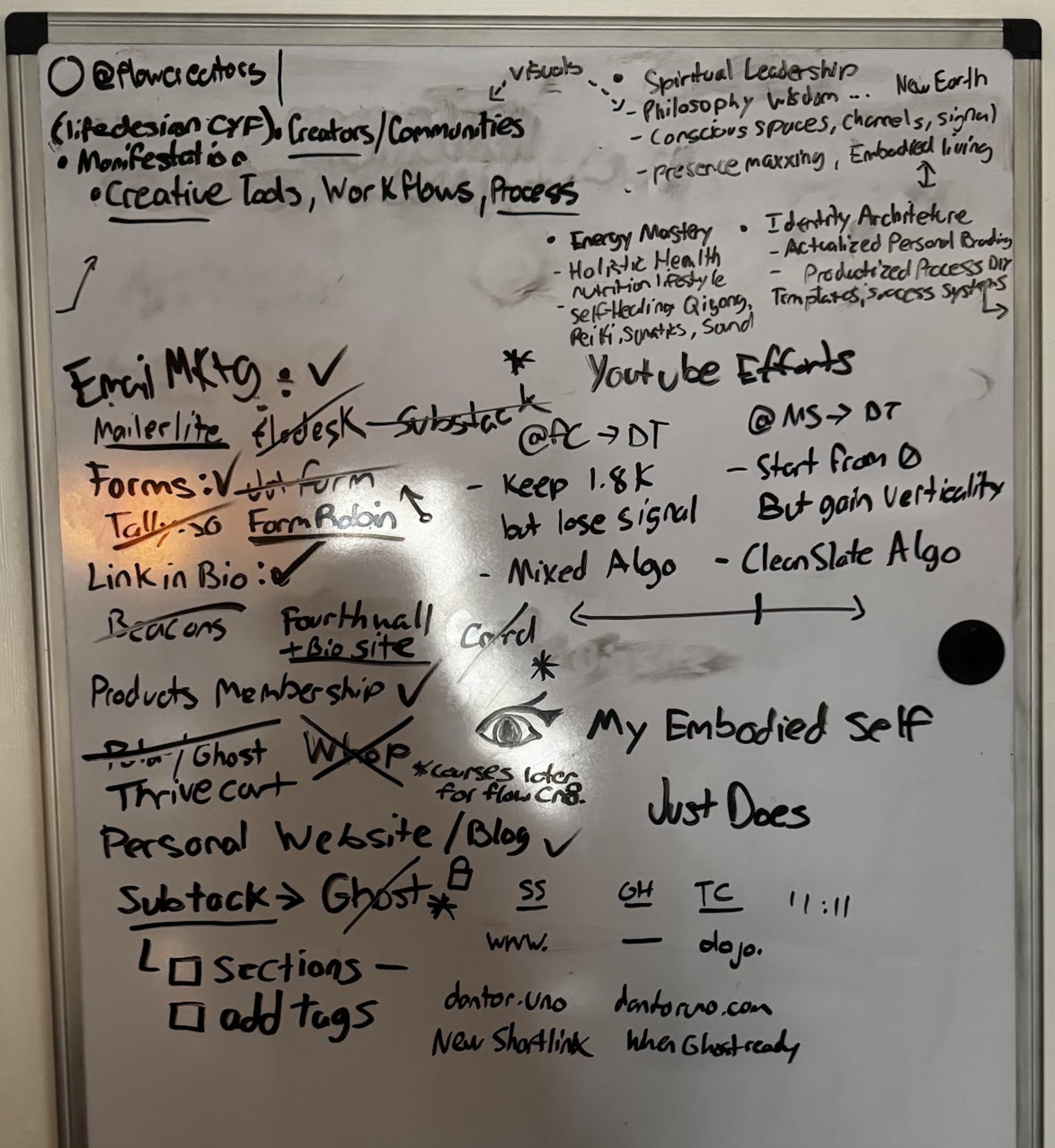
…Okay, the Black Friday lifetime deals floating around may have forced my hand a little bit.
Here’s what I landed on
Email Marketing: MailerLite

I was very tempted to grab Flodesk’s unlimited contacts plan (at $38/mo) before it goes away forever today, I like flodesk a lot but I don’t have an urgent need to scale my email marketing yet but I could still highly recommend it.
If you were also on the fence about flodesk, you can use my link to get 50% off your first year which would be unlimited contacts and sends for $17.50/mo ($210
Most marketers I observe swear by ConvertKit, (which is also free until 10k subs with them placing 1 ad slot in your emails by default which I don’t f with)
Users are required to display three Smart Recommendations in their welcome emails and one locked Smart Recommendation slot that cannot be customized or removed without upgrading. — Perplexity.
I’v of the best copywriters and brand designers I know quietly use MailerLite as their secret weapon. Plus, their prices at scale are a bit better than the competition when your list grows bigger.
Link in Bio: Fourthwall + Bio.Site
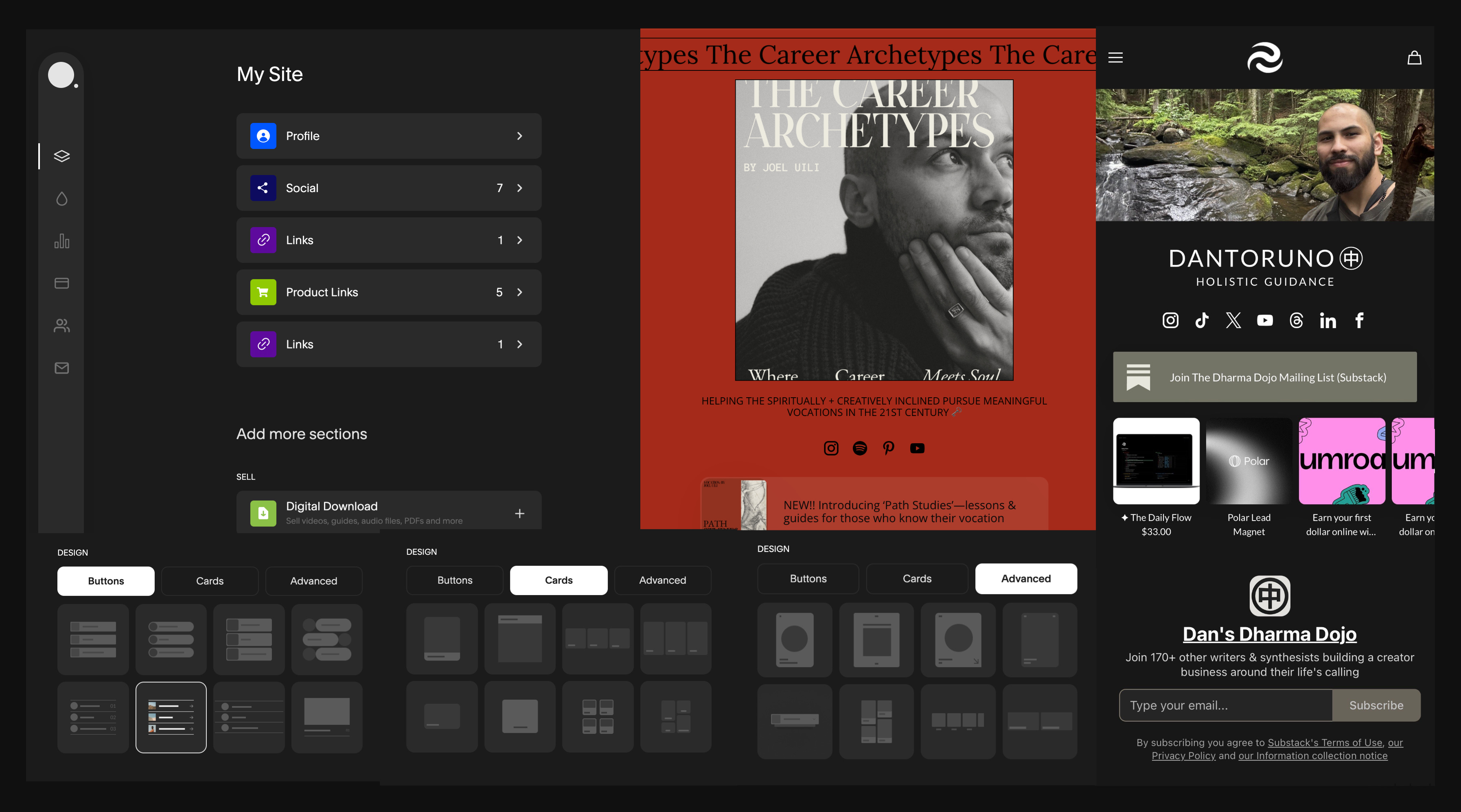
After revisiting a dozen options and falling for Linktree’s infuriating “use premium design features and they reset all your editing progress when you don’t upgrade right away” trap twice… (Outside of this they are a solid platform)
This investigation led to me discovering Bio.site (by squarespace). Their design systems are beautiful, simple, editor has a dark mode, you can create multiple bio sites on one account, AND you don’t even need a Squarespace subscription to use it.
Two cons: you can’t remove their branding even if you pay them (I have a workaround for this), and all links either open in new tabs or none of them do because it’s a global setting you have to chose rather than being able decide on a per link basis like on beacons or linktree. (in the social media browser interfaces this doesn’t matter because everything opens in the “same tab” unless it’s a deep link taking you to a different app or social platform)
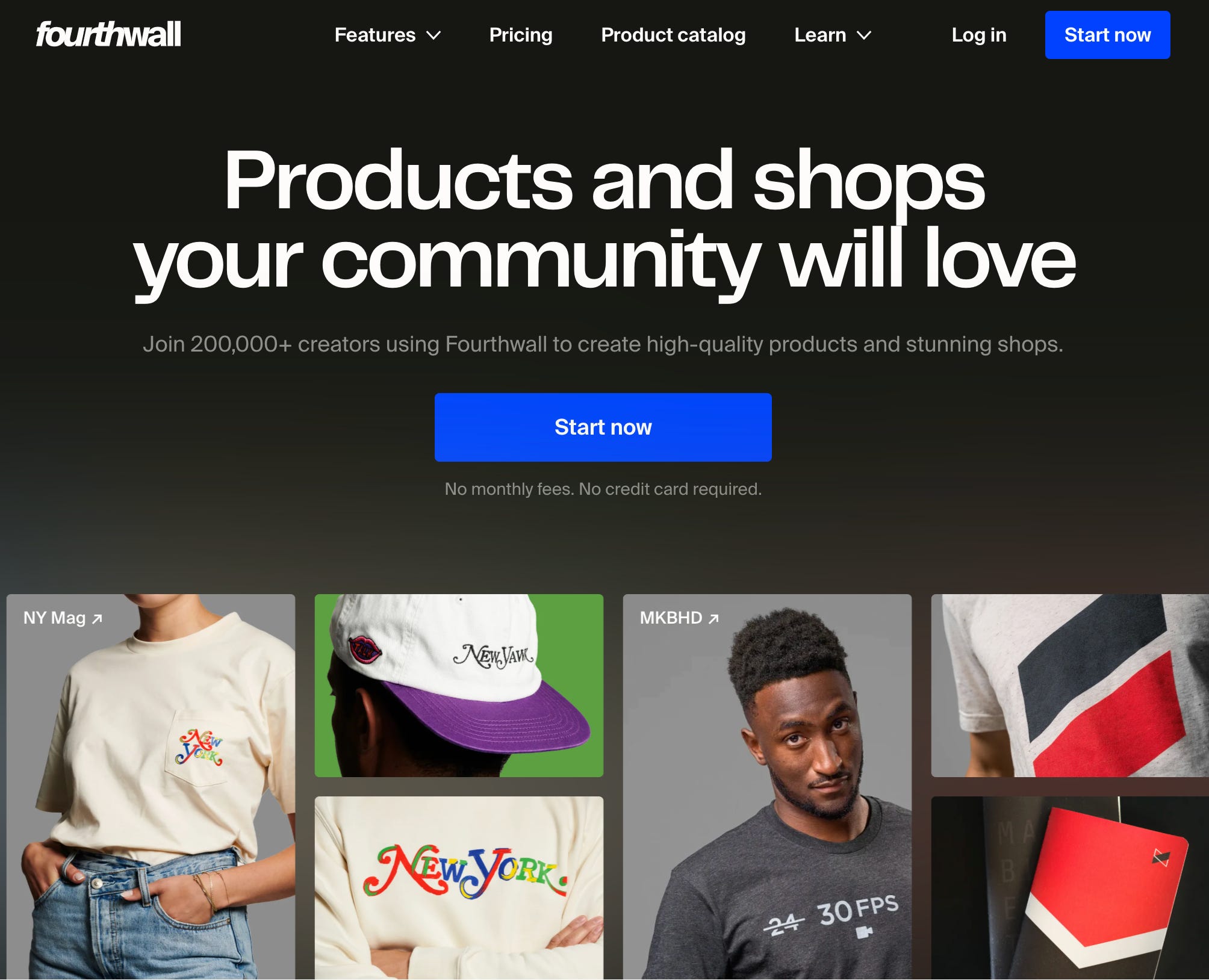
My Workaround: Another tool I’d been trying to fit into my toolstack is this platform called fourthwall. It’s basically Shopify and Patreon combined and it’s really easy to setup. It also let’s you sell print on demand products easily, completely free, a ton of other really powerful email/social shopping integrations (kit/beehiiv/zapier) which is why I’ve been keeping a close eye on their platform and have now finally found a good use for it.
It’s got an intuitive web builder as well as block for embedding custom code, which means I can embed my bio site as a page inside of my fourthwall website (Also my substack signup form). Effectively a completely non-branded website builder that I can add a custom domain to all for free.
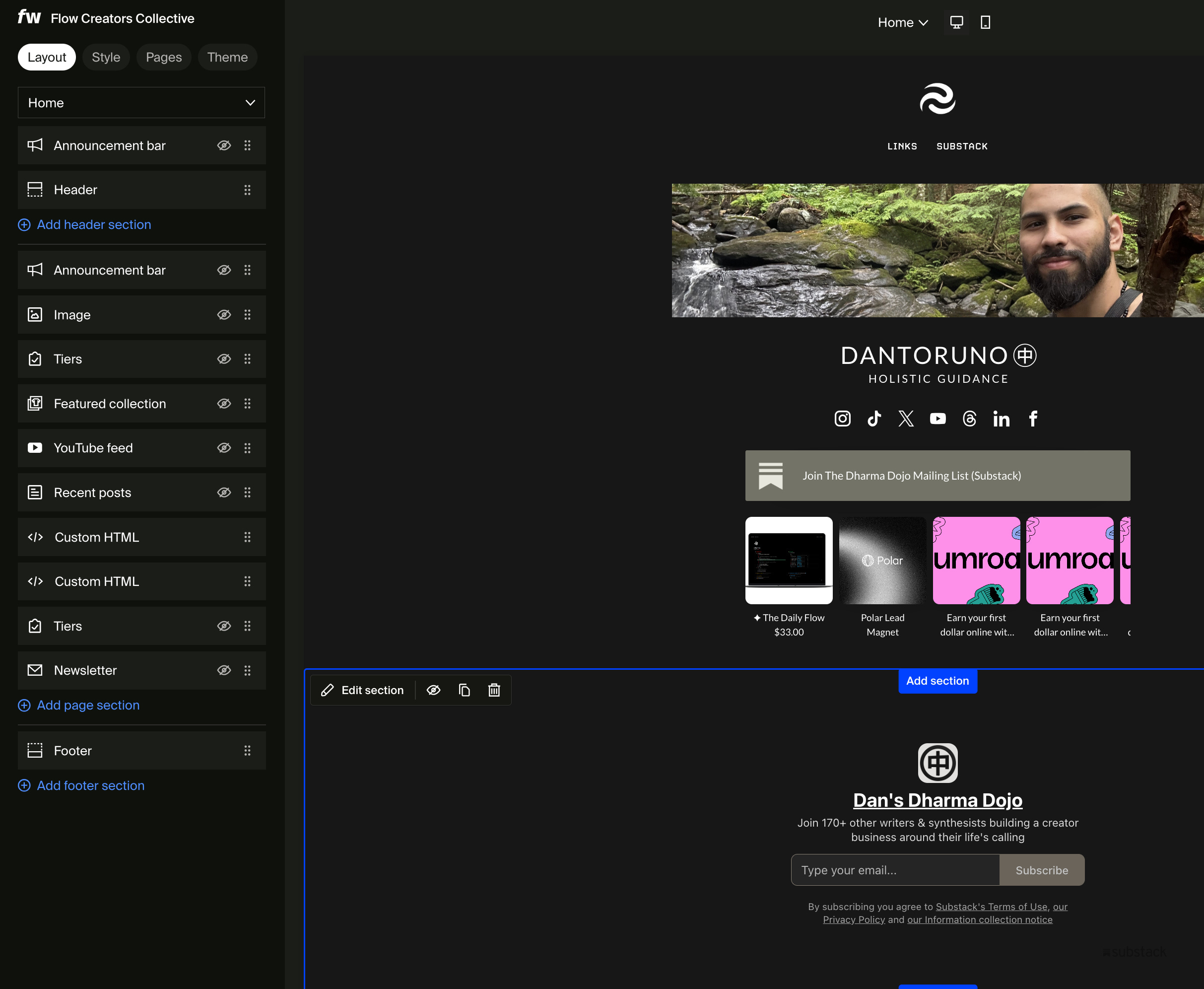
Bonus Tip: I asked claude to modify the custom code for the bio.site embed so that it cut’s off the bottom 400-ish pixels, disables the scrolling, and limits the width so it always looks like the mobile version. So now you don’t see the bio site branding on the embed and it looks the same on mobile and desktop.
One more thing to note here is that I still plan on using beacons specifically for their free and unlimited auto DM replies feature because it’s. The only catch there is that you can’t just attach your link you have to set your links up as external products then you can add it to the chat automations. Annoying but makes links really easy to be re-used.
Checkout/Course Builder: Whop + Teachery
I considered ThriveCart’s lifetime deal (15% off through November), link-in-bio tools like Stan.store/Beacons/Linktree, and even Skool. But I’m betting on Whop.
Why not Skool?
Skool is crowded. Too many massive communities throwing hella resources at hiring community managers, doing multiple calls a week competing for the attention of skool users. If my members have joined 11 other Skools, they’re not likely to complete any trainings on my platform without being pulled elsewhere.
Skool also lacks a serendipity network. No unified home feed for the communities you’d like to stay plugged in to. The only way back to your space is emails or if your members find you in that tiny notification popup that is always at +99 🔴 , and when it comes to emails I almost entirely zone those out too because I get so many of them and they just sort of blend together.
The majority of my work will be better at serving Gen Z creators, not Skool’s millennial-heavy crowd. I’d also rather focus on improving my content approach to improve my discoverability than competing for attention on skool.
Why Whop?
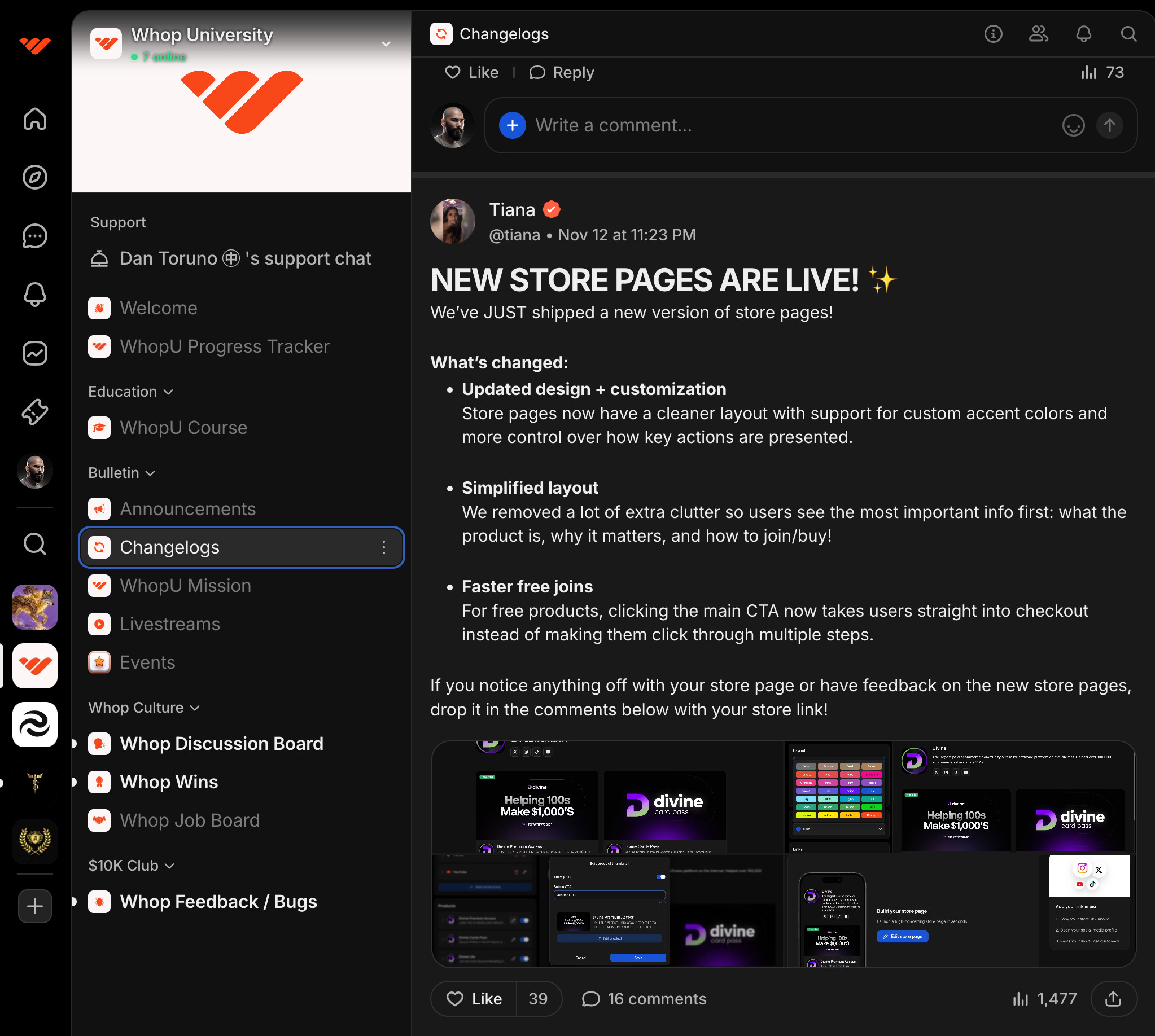
Whop has that unified feed that Skool lacks, plus fewer communities competing for attention, and it’s all built around a strong LMS on a platform optimized for selling and delivering high quality digital experiences.
I’ll be honest: I don’t love the culture around Whop’s founders, and there are bad actors abusing the platform. But I’m countering that with proper community housekeeping, guidelines, and removing my community from their discovery page so that only the traffic I direct from my socials will have the opportunity to join.
I also want to add that Whop is by no means a ready to go fully polished products there are definitely some rough edges in certain places like not being able to have a forums app with multiple topics, but they are iterating and improving at speed that makes me very optimistic about their long-term place in the creator economy.
I’m nurturing two distinct audiences: Creators Becoming and Creators Being. Whop serves both as a free community hub with easy upgrade options in the same ecosystem.
Backup Payment Processor & Members Area: Teachery
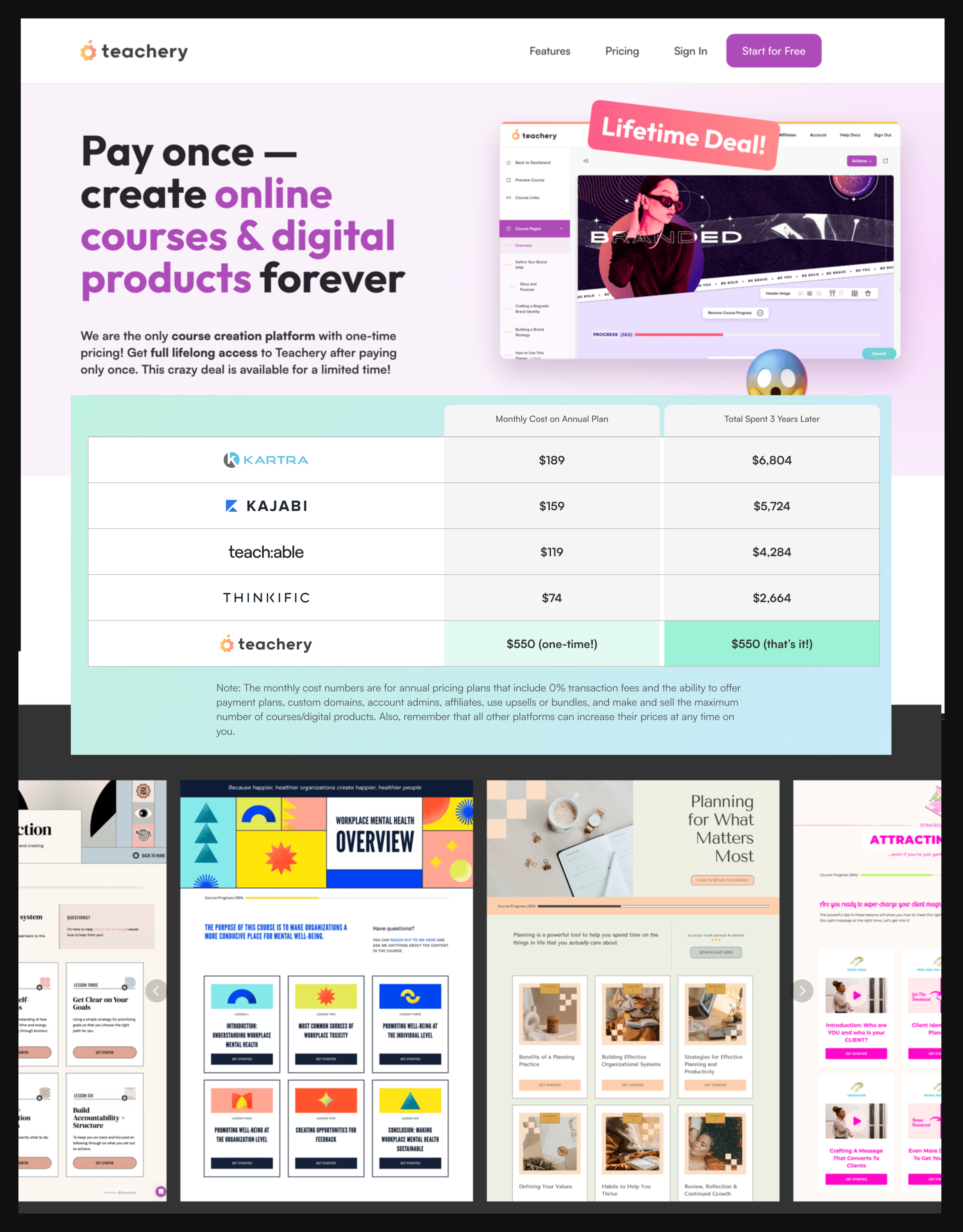
I’m also grabbing Teachery. This is their first Black Friday sale ever, since launching in 2014. They’ve cut the price in half: $280 with code “BF2025” (normally $550 LTD or $49/mo).
Teachery is a beautifully brandable course platform with checkouts, upsells, and membership features. Teachery gives me a backup branded platform built on Stripe that also has a native email integration with MailerLite so It’s also perfect for delivering lead magnets with branded dashboards that funnel people into my whop community and allows people to easily access past downloads.
Personal Website: Substack (for now) → Ghost (eventually)
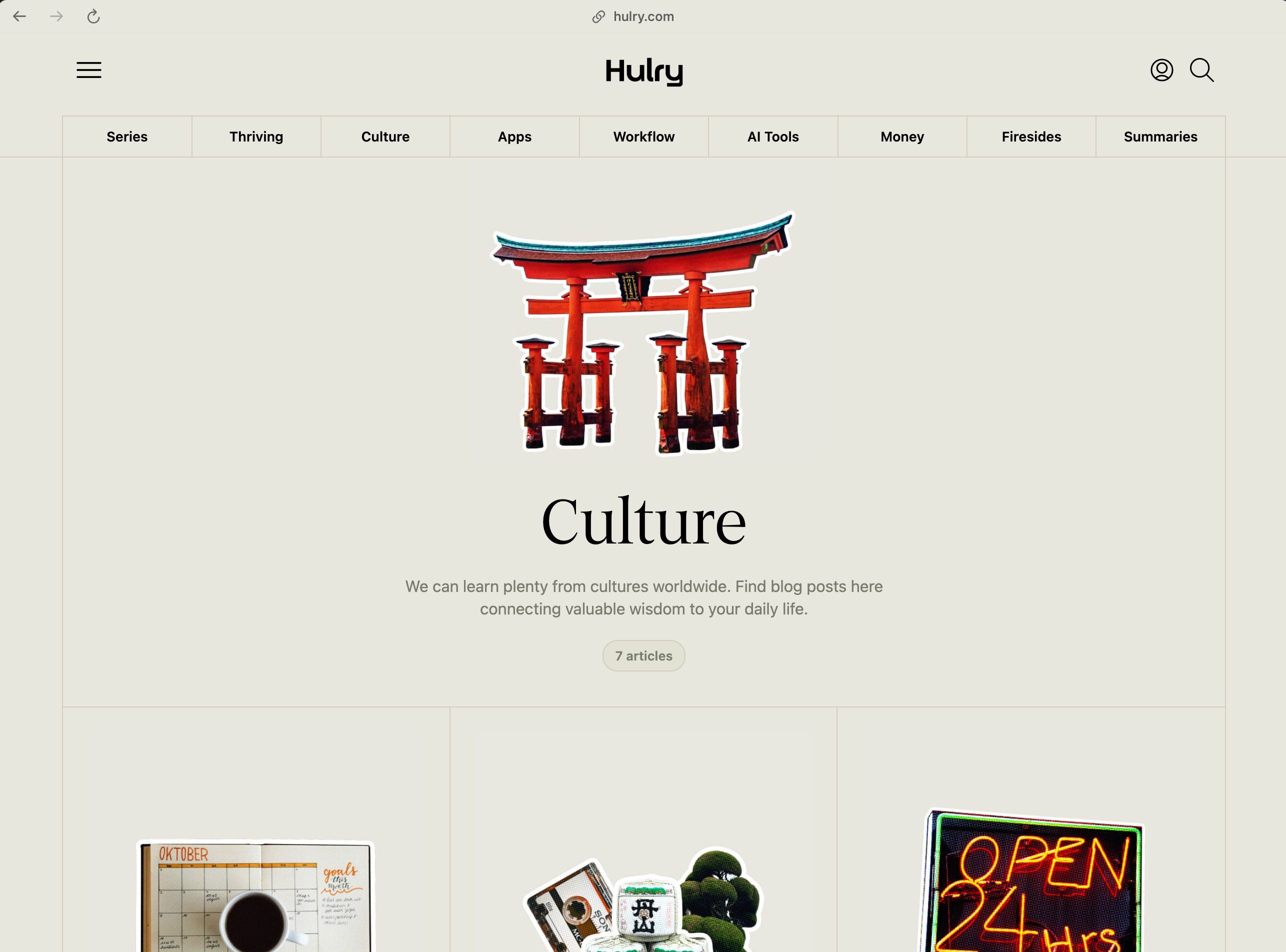
I’ve realized I don’t want to settle for a mediocre personal website long-term. The tool I love most for an elegant, self-hosted blog is Ghost.org. Check out JeffSu.org or Hulry.com for examples of what’s possible.
This isn’t urgent. For now, I’m sticking with Substack and optimizing my About page as my primary introduction point since it’s where people land when they discover your publication anyway. I’ll use it to share my story, clarify my mission, and outline ways to work with me (still figuring that part out).
Thanks for reading. Full transparency: many of these links are affiliates, but not all. I just want to share the tools I’ve come to select myself after spending way too much time making these decisions for myself.
Writing this from a Starbucks in Tennessee while visiting family this week.

Wishing you peace, prosperity, and wholeness friend.
Thanks for reading, happy holidays.
— Dan ㊥